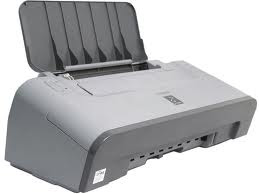
High performance and photo quality for you high resolution. The i450 high-resolution,
4800 x 1200 dpi * printing capacity combines with advanced MicroFine Droplet Technology
™ to ensure you clear, and photo prints. Canon Micro-Nozzle technology giving
a capacity of 2 picolitre droplet now give you six inks quality in a system of
four ink so you get high contrast and a wide range of color every time.The i450
offers business performance in a home printer. It prints up to 18 pages per minute
in monochrome and 12 pages per minute in color. By using a single pass bi-directional
printing, it can turn a full page colour A4 approx. 48 seconds.Table of contents
Canon i450 Printer Service Manual
1.Product List
2.Product Specifications
3.Error Mode
4.Service Mode
5.External View / Part List
6.Troubleshooting Flowchart
7.Service InformationHigh performance and photo quality for you high resolution.
The i450 high-resolution, 4800 x 1200 dpi * printing capacity combines with advanced
MicroFine Droplet Technology ™ to ensure you clear, and photo prints. Canon
Micro-Nozzle technology giving a capacity of 2 picolitre droplet now give you
six inks quality in a system of four ink so you get high contrast and a wide range
of color every time.The i450 offers business performance in a home printer. It
prints up to 18 pages per minute in monochrome and 12 pages per minute in color.
By using a single pass bi-directional printing, it can turn a full page colour
A4 approx. 48 seconds.Table of contents Canon i450 Printer Service Manual
1.Product List
2.Product Specifications
3.Error Mode
4.Service Mode
5.External View / Part List
6.Troubleshooting Flowchart
7.Service Information
http://canon-resetter.blogspot.com
Monday, March 3, 2008
Canon i450 Printer Service Manual

Download Resetter Ip1700 and iP1300
Download Resetter Ip1700 and iP1300
Trouble with Ip 1700 and ip1300
try Download software here
Reset Canon iP1200/1600/2200
1. Turn off printer
2. Hold down Resume button and press Power button.
3. Keep holding down Power button and let Resume button go.
4. Press Resume button 2 times then let BOTH buttons go.
5. Green lights will flash and then stop blinking.
6. When green lights are solid, press the Resume button 4 times.
7. Press the Power button and the printer should turn off, if not,
press the Power button once more.
8. Your printer should respond as normal.
Download software http://rapidshare.com/files/27422186/ip1600st.zip
Subscribe to:
Posts (Atom)
